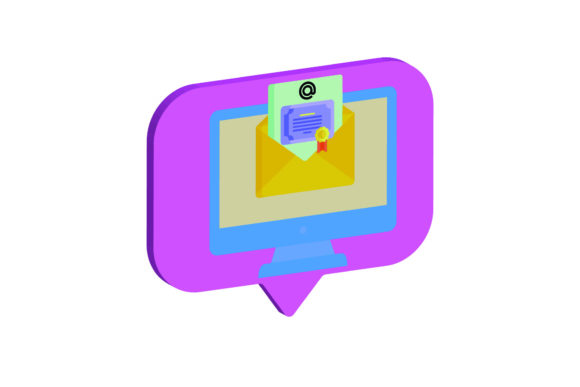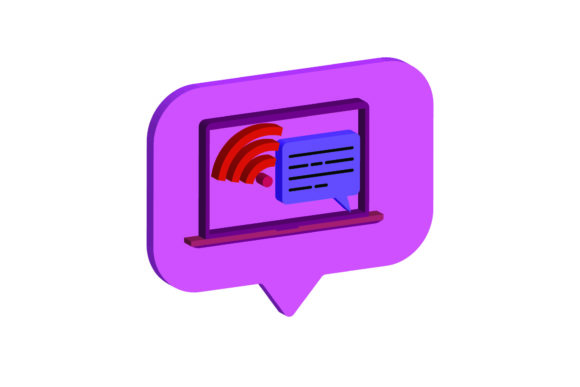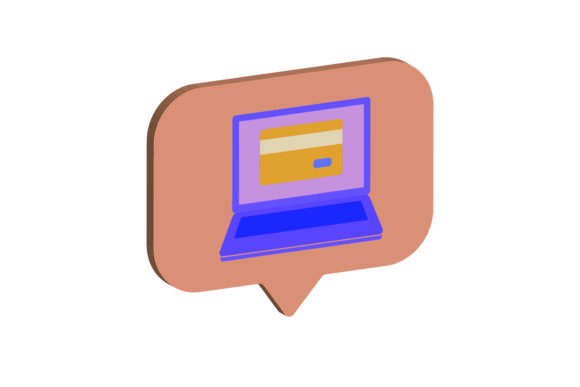
Icon Laptop 3D Card
In the rapidly evolving landscape of digital design, having access to high-quality, versatile assets is not just a luxury—it is a necessity. Whether you are crafting a social media post for a small business or building a complex user interface for an enterprise application, the visual elements you choose set the tone for your entire project. This is where the Icon Laptop 3D Card becomes a valuable addition to your creative toolkit. It is more than just a simple graphic; it is a multi-format asset designed to bridge the gap between aesthetic appeal and technical functionality.
At its core, this asset provides a clean, modern representation of a laptop in three dimensions. However, the true value lies in what you receive when you acquire it. You are not getting a single image file that limits how you can use the design. Instead, you gain access to a comprehensive package containing six distinct digital files. Each file serves a specific purpose, ensuring that whether you are working in Adobe Illustrator, cutting vinyl with a Cricut machine, or simply placing a PNG on a website, you have the right tool for the job. The canvas size is standardized at 1920px by 1280px, providing ample resolution for both web display and print applications without sacrificing clarity.
Why Format Variety Matters
One of the most significant hurdles designers face is compatibility. A file that looks perfect in one software program may be unusable in another. By providing the Icon Laptop 3D Card in six different formats—AI, EPS, SVG, DXF, JPG, and PNG—the package eliminates these barriers. Let us break down why each format matters to different types of users.
- AI and EPS Files: These are vector-based formats essential for professional designers. If you need to scale the laptop icon up to billboard size or edit specific paths and colors within the software, these files are indispensable. They allow for infinite scalability without pixelation, making them ideal for branding materials where consistency is key.
- SVG File: For web developers and UI/UX designers, the SVG (Scalable Vector Graphics) file is often the gold standard. It loads quickly, remains sharp on any screen resolution, and can be manipulated directly via CSS code. This is particularly useful if you want to change the color of the laptop dynamically based on user interaction or theme settings.
- DXF File: This format is crucial for makers and crafters. If you plan to use a laser cutter or a vinyl plotter to create physical merchandise, such as decals for laptops or promotional items, the DXF file provides the precise vector paths needed for accurate cutting.
- JPG and PNG Files: These raster formats are universally understood. The PNG version typically includes a transparent background, allowing you to place the laptop icon over any background color or image without a white box surrounding it. The JPG version is useful for quick previews or when transparency is not required. Both are ready-to-use for presentations, blog posts, and basic graphic designs.
Evaluating Use Cases Across Audiences
The utility of the Icon Laptop 3D Card varies significantly depending on who is using it. Understanding these differences helps you determine if this asset aligns with your current projects.
For Beginners and Hobbyists
If you are just starting out in graphic design or running a small Etsy shop, complexity can be intimidating. The inclusion of pre-sized PNG and JPG files means you do not need advanced software knowledge to get started. You can drag and drop the image into Canva, Photoshop Express, or even PowerPoint to create greeting cards, digital planners, or social media graphics. The ease of use here is paramount. You get immediate results without needing to learn the intricacies of vector editing software.
For Professional Designers and Agencies
Experienced professionals prioritize efficiency and flexibility. The AI and EPS files allow for deep customization. Perhaps your client’s brand color is a specific shade of teal, but the default icon is blue. With vector files, you can alter the fill colors instantly while maintaining crisp edges. Furthermore, the ability to deconstruct the layers allows you to integrate the laptop icon into larger compositions seamlessly. For agencies pitching to tech clients, having a high-fidelity 3D-style icon can elevate the perceived quality of mockups and presentation decks.
For Educators and Content Creators
Educators creating online courses or bloggers writing about technology need visuals that are clear and engaging. The 1920x1280 resolution ensures that the icon looks sharp on high-definition monitors and tablets. An educator might use the PNG version in slide decks to illustrate points about remote work or digital literacy. Because the file is easy to edit, they can also add text overlays or combine it with other icons to create custom infographics that explain complex concepts visually.
For Small Business Owners and Marketers
Marketing requires speed and consistency. A small business owner launching a new service related to computer repair or IT consulting needs professional-looking assets quickly. The Icon Laptop 3D Card offers a polished look that builds trust. Using the SVG file on their website ensures fast loading times, which is critical for SEO and user experience. Meanwhile, the DXF file opens up opportunities for physical marketing materials, such as branded stickers or engraved USB drives, creating a cohesive brand experience across digital and physical touchpoints.
Priorities: Quality, Cost, and Long-Term Value
When evaluating any digital asset, several priorities come into play. Quality is non-negotiable. A low-resolution icon will make a professional brand look amateurish. The provided 1920px width ensures that the Icon Laptop 3D Card meets modern display standards. Cost is also a factor. While purchasing individual assets can add up, receiving six formats in one package offers better value than buying separate files for different purposes. This bundle approach reduces the need to search for multiple resources, saving time and money.
Flexibility is perhaps the most important long-term benefit. Projects evolve. A graphic intended for a blog post might later be repurposed for a print brochure or a mobile app icon. Having vector sources (AI/EPS/SVG) ensures that the asset can adapt to these changing needs without losing quality. This future-proofing aspect adds significant commercial value, especially for freelancers and publishers who reuse content across multiple platforms.
Is It Right for You?
Determining whether the Icon Laptop 3D Card fits your needs depends on your workflow. If you frequently work with tech-related themes, need scalable graphics for web and print, or require cut-files for physical products, this package is highly relevant. It caters to a wide spectrum of skills, from those who prefer simple drag-and-drop interfaces to those who demand full control over vector paths.
Consider your current projects. Are you designing a landing page for a software company? The SVG file will serve you well. Are you making personalized gifts for tech enthusiasts? The DXF and PNG files will help you create tangible products. By offering a diverse range of formats, this asset supports a holistic approach to design, allowing you to focus on creativity rather than technical limitations. Ultimately, it is about empowering you to communicate your message effectively, regardless of your medium or skill level.