Sugar Skull 3D Layered SVG Cut File
The world of digital crafting has evolved significantly, moving beyond simple flat designs into immersive, dimensional art. Among the most striking examples of this evolution is the Sugar Skull 3D Layered SVG Cut File. This digital asset allows creators to transform standard cutting materials—such as cardstock, plywood, and vinyl—into intricate, multi-dimensional sculptures. Whether you are a hobbyist looking to add unique flair to your home decor or a small business owner seeking high-value products for the holiday season, understanding how to leverage this specific file format can elevate your crafting capabilities.
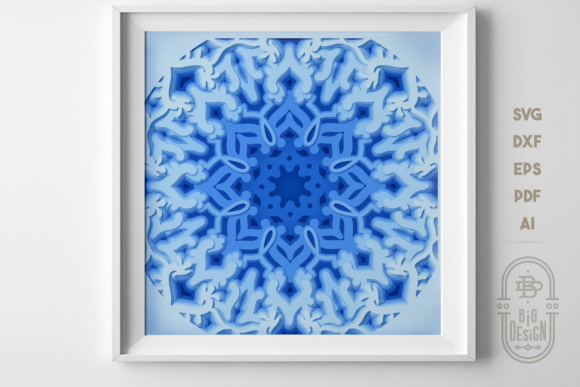
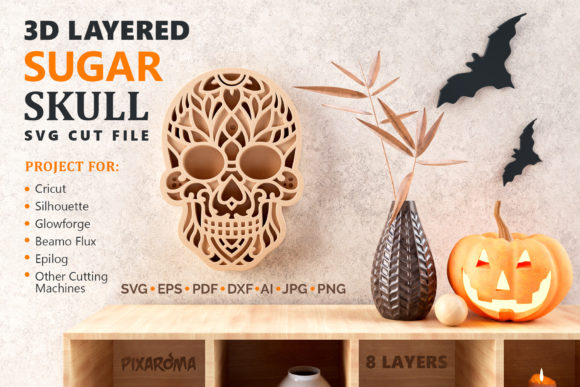
At its core, this tool is not just a single image but a complex assembly of eight distinct layers. When assembled correctly, these layers create a stunning optical illusion of depth, turning a flat piece of material into a dynamic wall sculpture. The design draws inspiration from traditional Mexican Día de los Muertos (Day of the Dead) aesthetics, featuring ornate floral patterns, geometric symmetry, and vibrant skeletal motifs that are both decorative and culturally significant.
Understanding the Digital Foundation
Before any physical cutting begins, it is essential to understand the nature of the Sugar Skull 3D Layered SVG Cut File. An SVG (Scalable Vector Graphics) file is a vector-based image format that retains its quality at any size. Unlike raster images (like JPEGs or PNGs), which can become pixelated when enlarged, SVG files use mathematical equations to define shapes. This makes them ideal for cutting machines, which read the vector paths to guide their blades with precision.
The "layered" aspect of this particular file is what sets it apart. Instead of one continuous shape, the design is broken down into eight separate components. Each layer represents a different part of the skull’s anatomy or decorative elements, such as the eye sockets, the nasal cavity, the teeth, and the surrounding floral wreaths. By separating these elements, the creator gains control over depth and perspective, allowing for a construction method that mimics real-world sculpting techniques.
Materials and Compatibility
One of the greatest strengths of using a layered SVG cut file is its versatility across various materials. While many crafters assume these files are exclusively for paper crafts, the Sugar Skull 3D Layered SVG Cut File opens up possibilities for mixed-media projects.
- Cardstock and Paper: For beginners or those creating lightweight decor, heavy-weight cardstock is the standard choice. It holds its shape well and is easy to stack. Using colored cardstock in contrasting tones can enhance the visual impact of the layers.
- Plywood and Wood Veneer: For a more rustic or permanent installation, thin plywood sheets work beautifully. The natural grain of wood adds warmth to the stark imagery of the sugar skull. However, wood requires a sharper blade and slower cutting speed on your machine to ensure clean edges.
- Acrylic Sheets: Clear or frosted acrylic can create a modern, ethereal look. Light passing through the layered acrylic creates interesting shadow effects, making it an excellent choice for lamp shades or window decals.
- Vinyl and Sticker Paper: While less common for deep 3D structures due to flexibility, vinyl can be used for smaller, flatter variations or as accents on other surfaces.
It is crucial to check your cutting machine’s specifications before selecting a material. Most consumer-grade machines handle cardstock effortlessly, while heavier materials like 1/8-inch plywood may require a robust machine with higher torque and specialized blades.
The Assembly Process: Creating Depth
The magic of the Sugar Skull 3D Layered SVG Cut File lies entirely in the assembly phase. A common mistake among novice crafters is gluing all layers directly onto a backing board, which results in a flat, two-dimensional appearance. To achieve the intended three-dimensional effect, spacers must be used between each layer.
- Download and Organize: Once downloaded, open the file in your preferred software (such as Silhouette Studio, Cricut Design Space, or Adobe Illustrator). Verify that all eight layers are present and separated correctly.
- Cutting: Load your chosen material into the cutting machine. Ensure the blade is sharp and the pressure settings are appropriate for the thickness of the material. Cut each layer individually or simultaneously if your software supports batch processing.
- Preparation of Spacers: This is the most critical step. You will need double-sided foam dots, adhesive foam tabs, or even small pieces of cardboard cut into squares. These spacers determine the height of your sculpture. Thicker spacers create a deeper cave-like effect, while thinner ones offer a subtle relief.
- Stacking Order: Follow the guide provided with the digital file. Typically, the largest background layer goes first, followed by progressively smaller inner layers. Align the center points carefully to maintain symmetry.
- Adhesion: Apply your spacers to the back of each layer before sticking it to the previous one. Avoid using liquid glue for the main structure, as it can warp thin materials and eliminate the gap necessary for the 3D look. Liquid glue should only be reserved for final securing or attaching the finished piece to a wall.
Applications and Decorative Uses
Once assembled, the finished product is a versatile decorative item. Its primary application is as Halloween Decorative Wall Art Sculpture, but its appeal extends far beyond October.
Seasonal Home Decor: During Halloween, the sugar skull serves as a dramatic focal point in entryways, living rooms, or party venues. The layered depth catches ambient lighting, casting intricate shadows that change throughout the day. Placing a light source behind or near the sculpture can further emphasize the details.
Year-Round Artistic Statement: Because the design is rooted in cultural artistry rather than just spooky imagery, it works well as year-round decor, especially during Día de los Muertos celebrations in late October and early November. It can also be displayed in offices, studios, or classrooms to celebrate creative expression and cultural heritage.
Shadow Box Framing: For a polished, gallery-ready look, consider placing the completed sculpture inside a complementary shadow box frame. This protects the delicate layers from dust and damage while providing a clean border that enhances the artwork. A dark-colored frame often contrasts well with white or pastel cardstock, while a gold or silver frame complements metallic or wooden versions.
Evaluating Suitability and Practical Considerations
While the Sugar Skull 3D Layered SVG Cut File offers impressive results, it is important to have realistic expectations regarding time and skill level.
Time Investment: Cutting eight layers, weeding excess material, and carefully stacking them with spacers is a time-consuming process. A single project may take several hours, depending on the complexity of the weeding and the number of colors or materials used. It is not a quick craft; it is a meditative, detailed process.
Material Waste: Weeding (removing the negative space) from intricate SVG files can generate significant waste, especially with expensive materials like specialty woods or metallic papers. Plan your cuts efficiently to minimize waste.
Structural Integrity: As the number of layers increases, so does the weight and potential for warping. If using large sheets of cardstock, ensure your spacers are evenly distributed to prevent sagging. For very large installations, internal support structures or thicker backing boards may be necessary.
Conclusion
The Sugar Skull 3D Layered SVG Cut File represents the intersection of digital precision and tactile artistry. It empowers creators to move beyond flat designs and explore the rich possibilities of dimensionality. By understanding the importance of proper spacing, material selection, and assembly technique, users can produce stunning wall art that commands attention.
Whether you are crafting a single piece for your own home or producing multiple units for sale, this file provides a reliable blueprint for success. It invites experimentation with color, texture, and scale, encouraging crafters to make the design their own. With patience and care, the result is not just a decoration, but a tangible piece of layered art that celebrates creativity and cultural beauty.