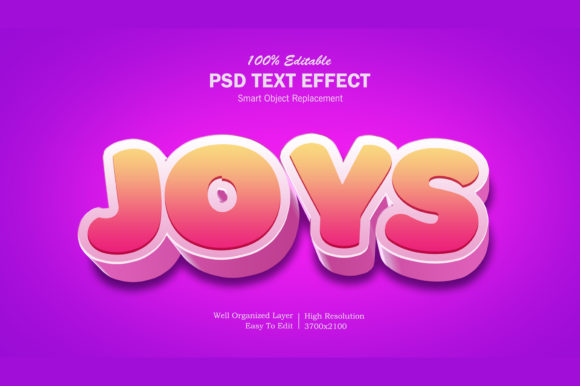
3D Joys Colorful Text Effect
In the landscape of digital graphic design, typography is often the primary vehicle for communication. Whether creating a social media banner, a movie poster, or a product label, text must not only be legible but also visually arresting. For designers seeking to elevate standard typography without investing hours in manual modeling, pre-made graphic resources offer a compelling solution. One such resource is the 3D Joys Colorful Text Effect, a Photoshop-based template designed to provide high-quality, three-dimensional text styling with minimal effort.
This article provides an objective evaluation of this specific graphic asset. It explores the technical specifications, workflow efficiency, and practical applications, helping designers determine whether this tool aligns with their current project requirements and skill level.
Understanding the Resource
The 3D Joys Colorful Text Effect is a downloadable graphic resource intended for use within Adobe Photoshop. At its core, it is a PSD (Photoshop Document) file that utilizes smart object technology to streamline the editing process. The primary value proposition of this asset is speed combined with aesthetic quality. It allows users to apply complex 3D rendering, lighting, and color gradients to text without needing advanced knowledge of 3D modeling software or intricate layer blending techniques.
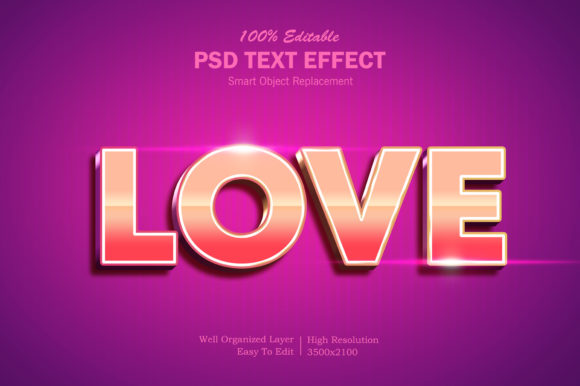
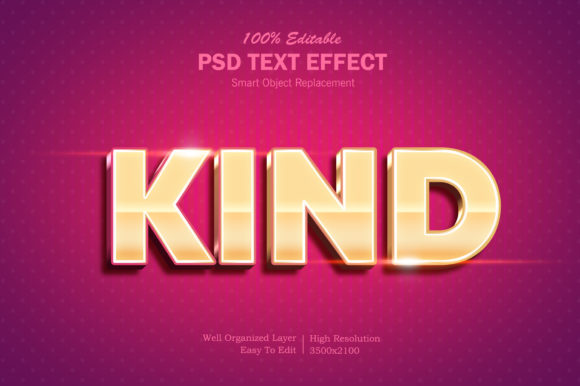
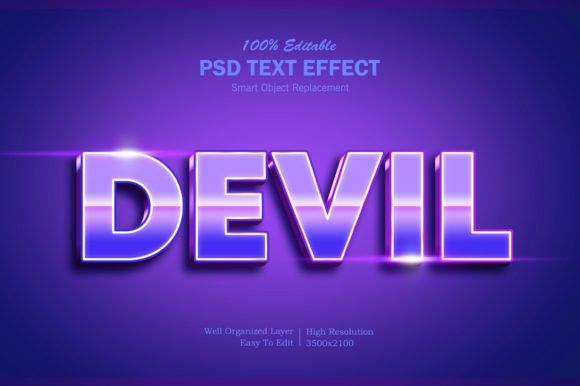
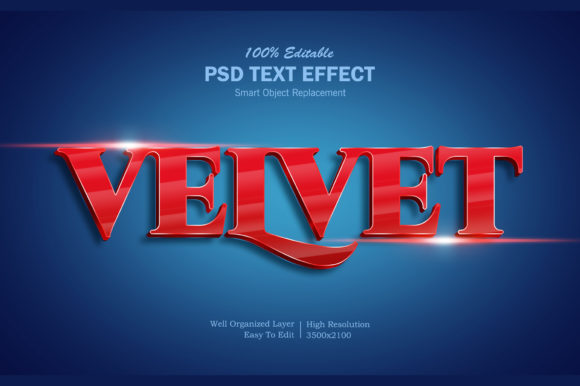
The resource includes one main PSD file, one image preview file, and a help file containing instructions. The visual output is characterized by vibrant colors and a polished 3D finish, suitable for various commercial and personal projects. By leveraging smart objects, the creator has decoupled the text input from the visual effects, allowing for non-destructive editing.
Workflow and Ease of Use
A critical factor in selecting a design template is the time investment required to customize it. The 3D Joys Colorful Text Effect is marketed as "very easy to edit," and the workflow supports this claim. The process involves double-clicking a specific smart object layer named "Your Text - Replace." This action opens a temporary window where the user can type their desired content. Upon saving and closing that window, the changes automatically update across all linked layers in the main document.
This mechanism offers several practical benefits:
- Efficiency: Designers can generate multiple variations of a design quickly by simply changing the text string.
- Consistency: The effect remains uniform regardless of the font size or length of the text, provided the original layout constraints are respected.
- Accessibility: Users with intermediate Photoshop skills can achieve results that might otherwise require advanced 3D rendering skills.
However, ease of use does come with minor tradeoffs. Because the effect is pre-baked into the smart object structure, users cannot easily modify individual geometric aspects of the 3D extrusion or light angles without breaking the template’s integrity or requiring significant manual intervention. It is a fixed-effect tool rather than a flexible 3D workspace.
Technical Specifications and Quality
For professional print work or high-resolution digital displays, file quality is paramount. The 3D Joys Colorful Text Effect boasts a resolution of 3500x2100 pixels at 300 DPI. This specification ensures that the output is crisp and clear, making it suitable for both web use and large-format printing, such as posters or banners.
The file is described as having "well-organized layers." In the context of PSD files, this refers to the logical grouping of adjustment layers, masks, and effect settings. Well-organized layers facilitate easier troubleshooting and customization if a designer wishes to tweak specific elements, such as the background gradient or shadow intensity, outside of the main text effect.
Practical Applications
The versatility of the 3D Joys Colorful Text Effect makes it applicable across a wide spectrum of design disciplines. Its colorful and dynamic nature suits projects that require immediate visual impact. Common use cases include:
- Social Media Graphics: Facebook covers, YouTube channel art, and Twitter headers benefit from bold, readable text that stands out in crowded feeds.
- Marketing Materials: Banner promotions, flyers, and placards often rely on catchy headlines. This effect can turn a simple slogan into a focal point.
- Entertainment Media: Cartoon titles, movie title cards, and logo presentations frequently utilize stylized 3D text to convey genre and tone.
- Merchandise Design: T-shirt designs and clothing graphics often feature vibrant, raised-text aesthetics that this template can simulate effectively.
- Print Collateral: Greeting cards and illustrations can incorporate this effect for a premium, tactile feel in digital mockups or final prints.
Evaluating Fit: Strengths and Limitations
When deciding whether to incorporate the 3D Joys Colorful Text Effect into your workflow, it is important to weigh its strengths against potential limitations.
Strong Fit Scenarios:
This resource is ideal for freelancers, small business owners, or hobbyist designers who need to produce high-volume content under tight deadlines. If your goal is to create eye-catching social media assets, event posters, or quick promotional materials, this template offers a cost-effective shortcut to professional-looking results. It is particularly useful for those who lack the time to learn complex 3D plugins or who do not have access to dedicated 3D software like Blender or Cinema 4D.
Consider Alternatives When:
If your project requires extreme typographic control, such as custom kerning adjustments that interact dynamically with the 3D geometry, this template may be too rigid. Additionally, if you are working on a brand identity system that demands unique, non-generic typography, relying on a pre-made effect might lead to a lack of differentiation. In cases where specific 3D lighting environments or physical material simulations (like glass, metal, or wood textures) are required, a dedicated 3D modeling workflow would yield superior, customizable results.
Decision-Making Insights
To determine if the 3D Joys Colorful Text Effect is the right choice, consider the following questions:
- Do you prioritize speed over total customization? If yes, the smart object workflow is highly advantageous.
- Is your output primarily digital or standard print? With 300 DPI support, it handles both well, but ensure your final dimensions match the source file to avoid pixelation.
- What is your proficiency with Photoshop? Intermediate users will find the layer organization helpful, while beginners may appreciate the guided editing process.
- Does the aesthetic match your brand voice? The "colorful" and "joyful" nature of the effect suggests a playful or energetic tone. It may not be suitable for somber, corporate, or minimalist branding.
Conclusion
The 3D Joys Colorful Text Effect represents a practical tool for designers looking to enhance textual content with minimal friction. By combining high-resolution outputs with an intuitive smart object editing system, it bridges the gap between basic text tools and complex 3D rendering. While it lacks the granular control of dedicated 3D software, its strength lies in its accessibility and versatility. For projects ranging from social media covers to printed flyers, this resource offers a reliable method to achieve polished, colorful typography. Evaluating your specific needs for customization versus efficiency will guide you in determining whether this asset fits seamlessly into your creative process.